
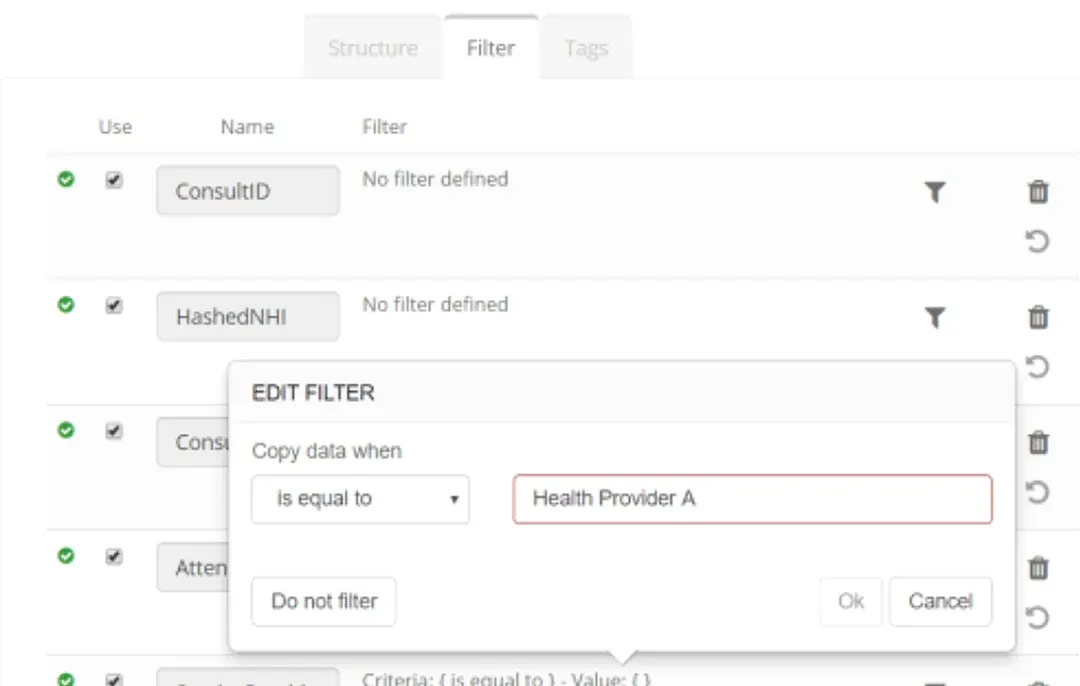
Datastore options: Row level filters
Browse a Datastore to view an object to apply row level filters.

Datastore options: Column level filters
To restrict a column from being used in a process, simply untick the ‘Use’ checkbox and Save.
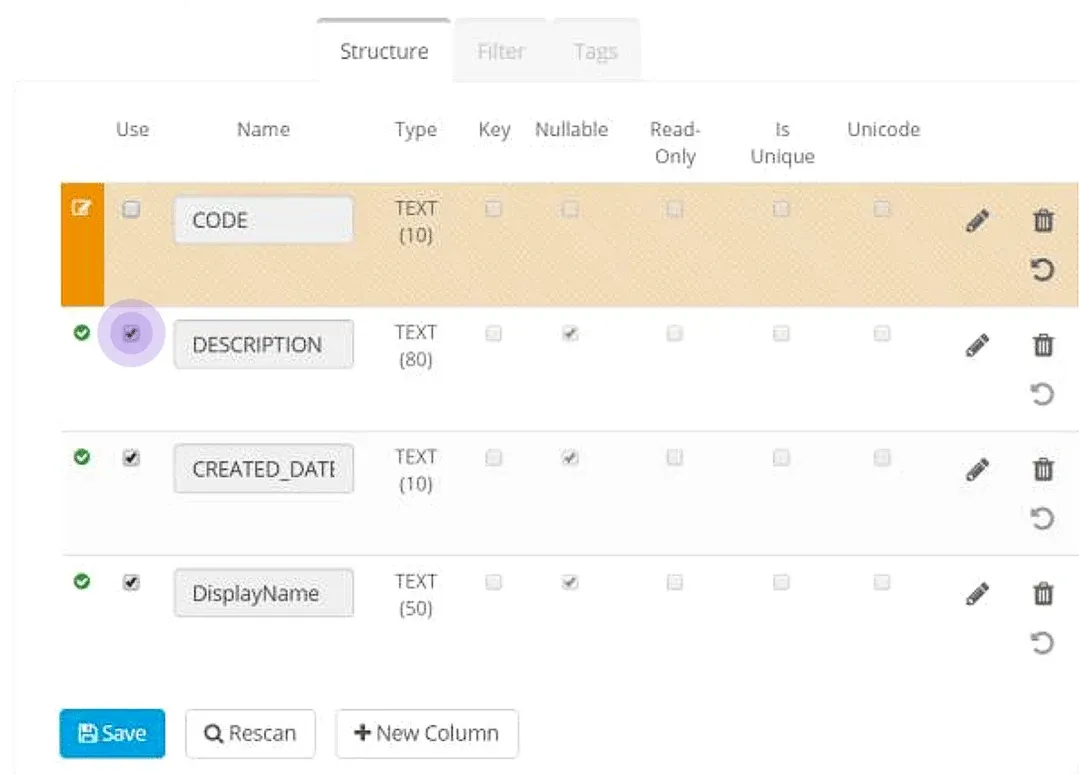
The restricted column appears unavailable (marked Do Not Use) and cannot be mapped to a destination column.
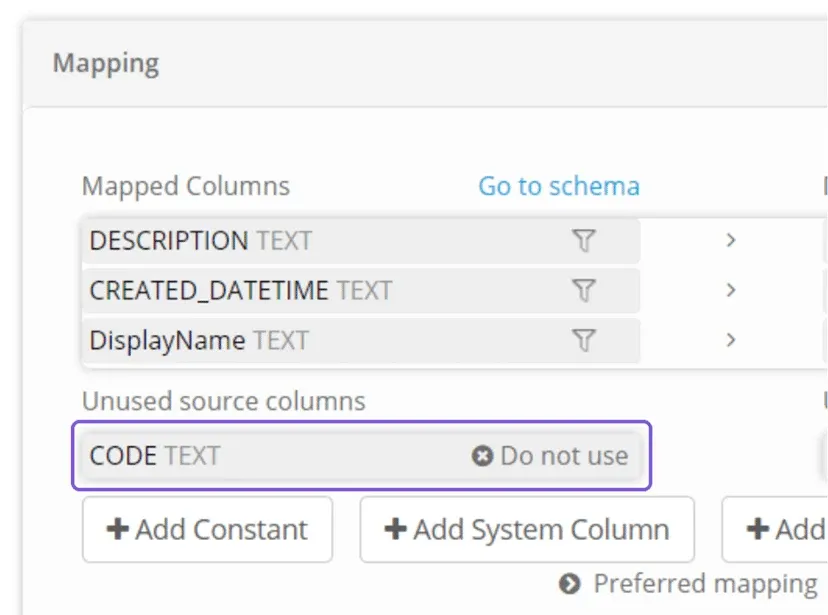
Unmapped columns will not be written to the destination.
A process can be executed successfully - even when source columns are not mapped to a destination.

Datastore Queries
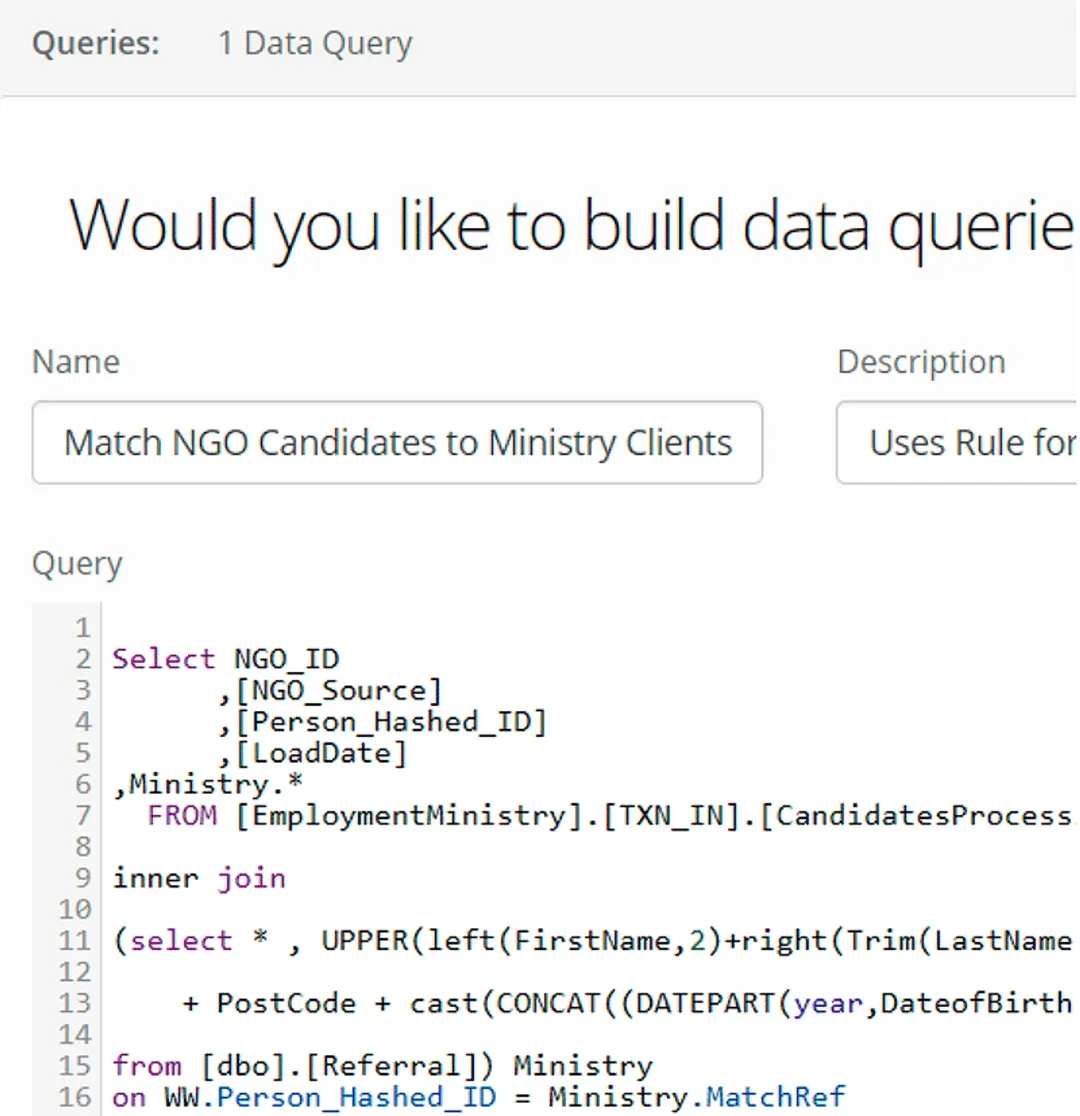
Source Datastores connecting to relational databases have a Query tab available which allow you to create custom views of the data to share.
This is a way to apply column level filtering to the data presented in a Datastore.
Process filters
Apply a filter within a process to control the rows written to a destination.
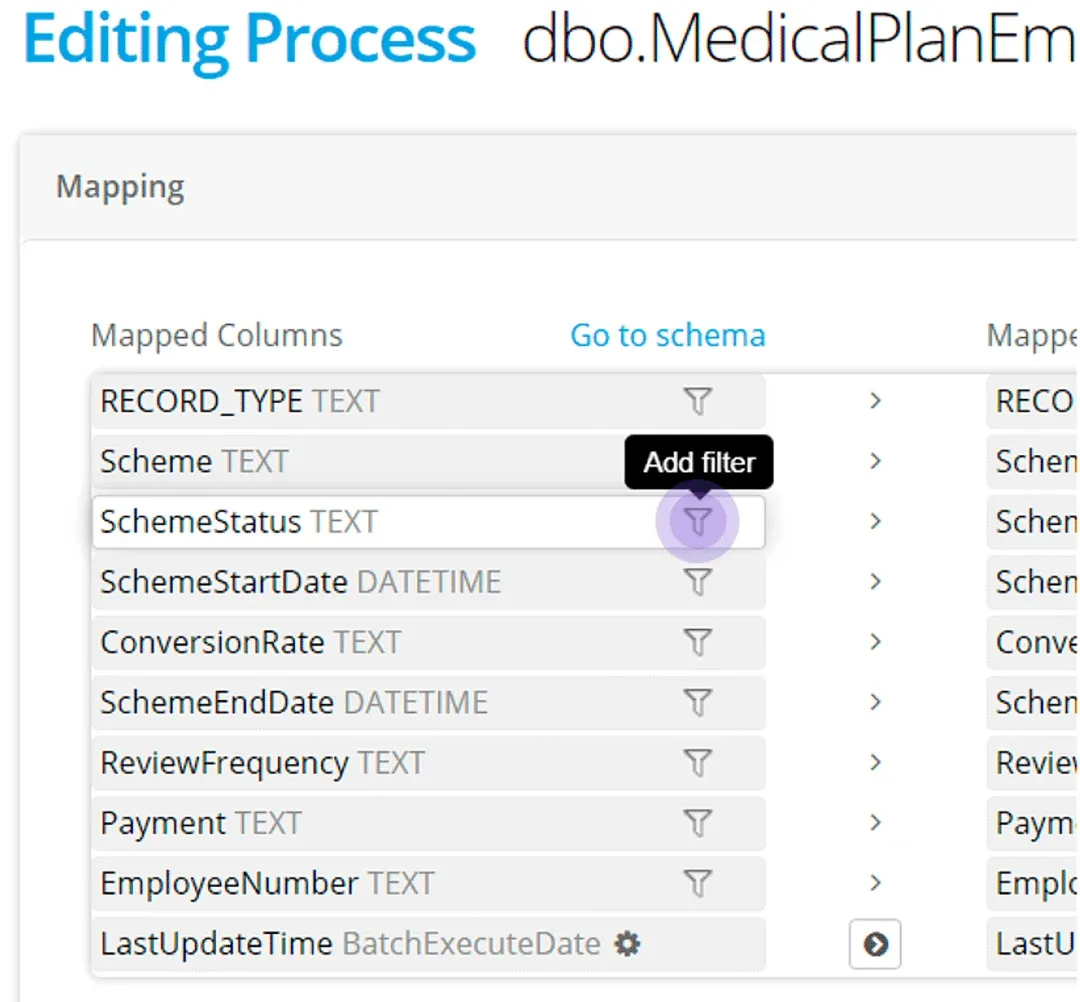
A column does not have to be mapped for a filter to be applied to a dataset
Stuck on this step? Email support@eight-wire.com