
Navigate to Project > Process Groups
Click +New to add a new Process Group
Select the Process Group Type
Click +Add Source and select your Tile Datastore
Highlight the source object and click Add
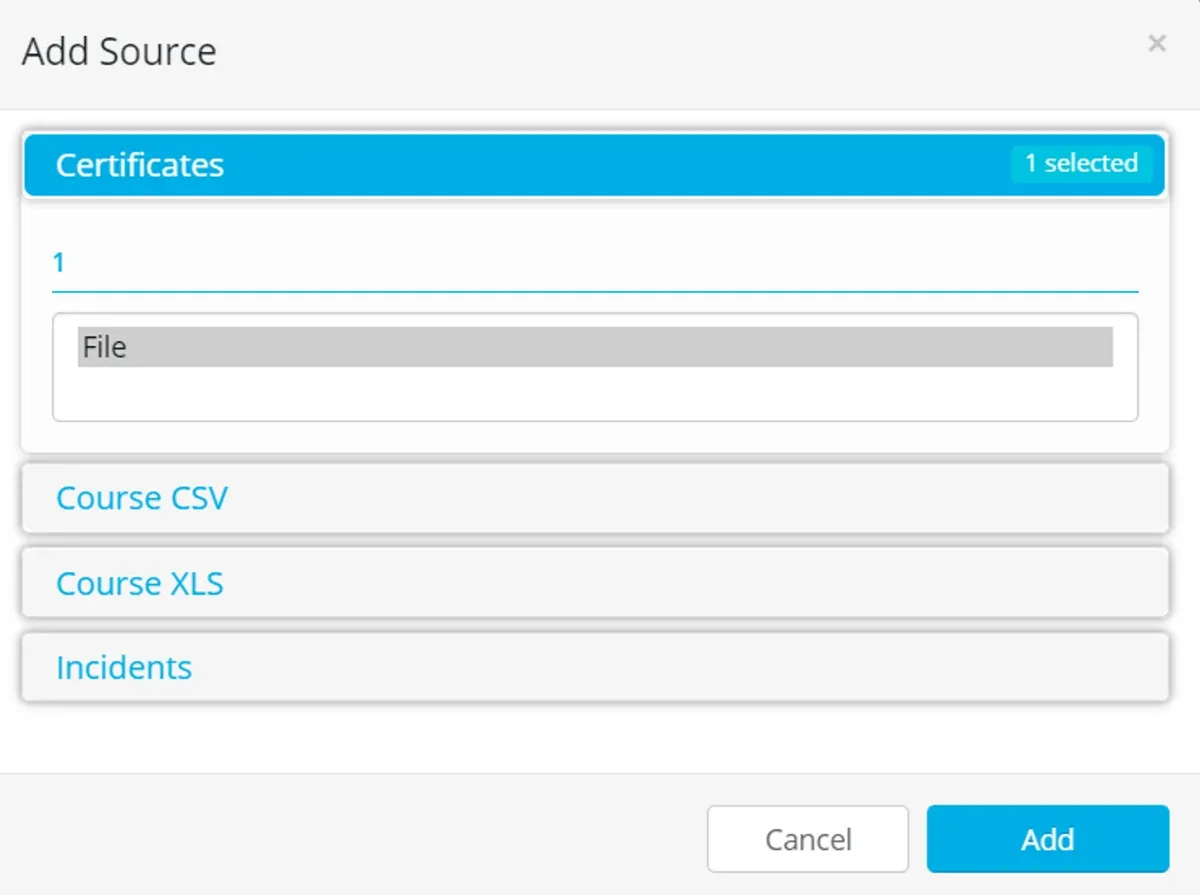
For Generic Tile the source object available will be called ‘File’
The process will make a suggestion from the available Destination Datastores — select a Folder Datastore
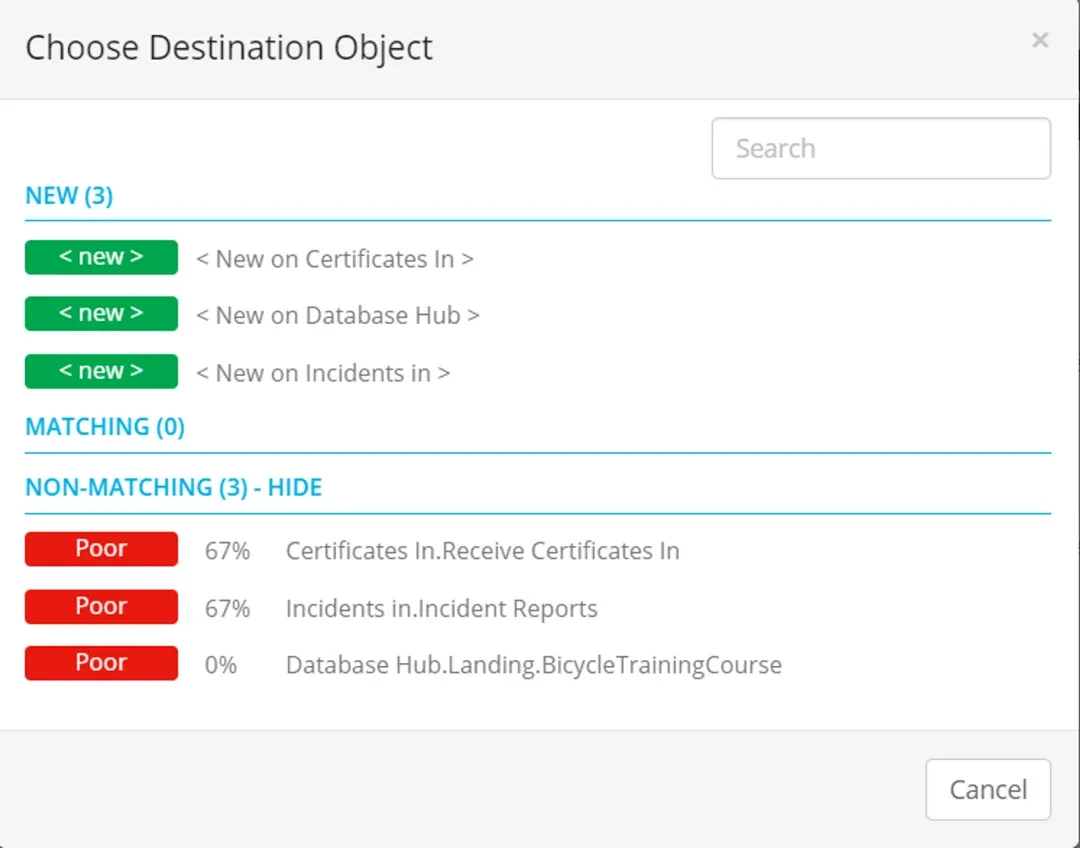
Click on the ellipsis to navigate and select an existing Datastore folder, or create a new Folder in the Datastore.
Click Accept All or the blue tick to create the Process.

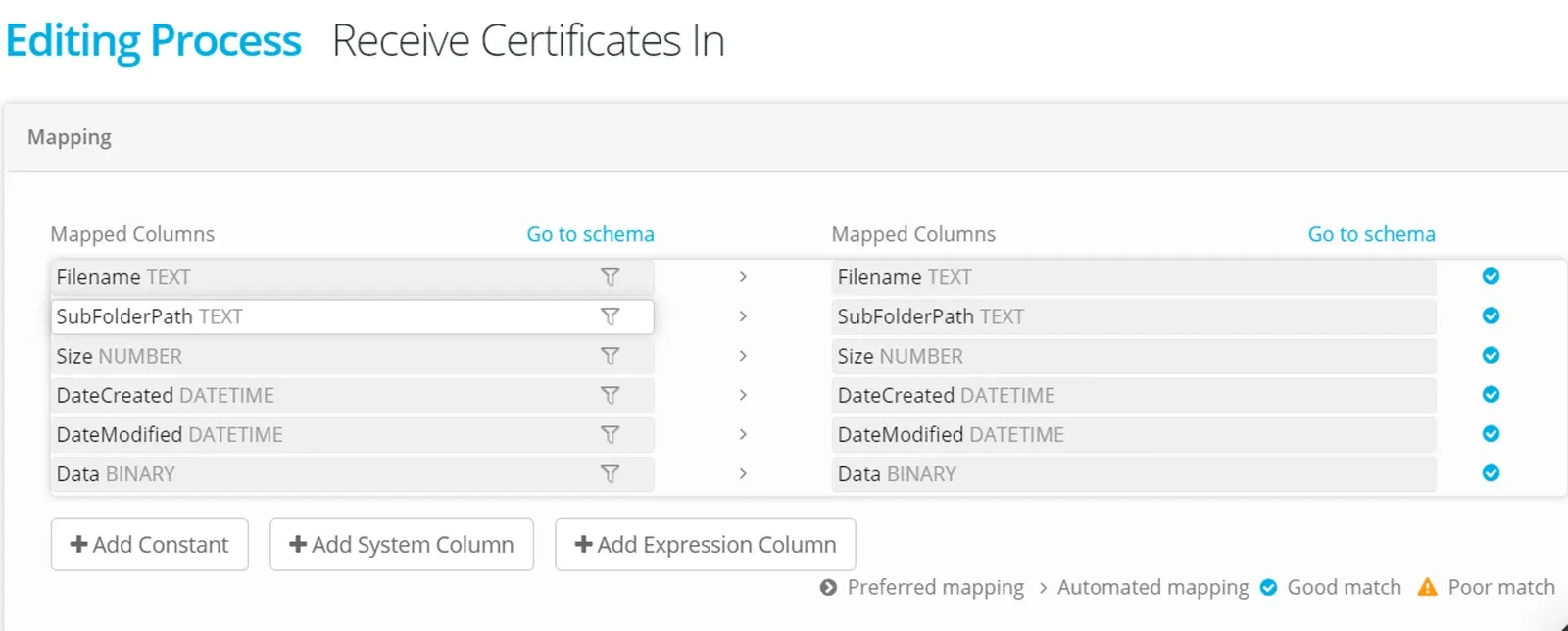
The mapping will be applied automatically and is for a binary file (showing default properties as columns).
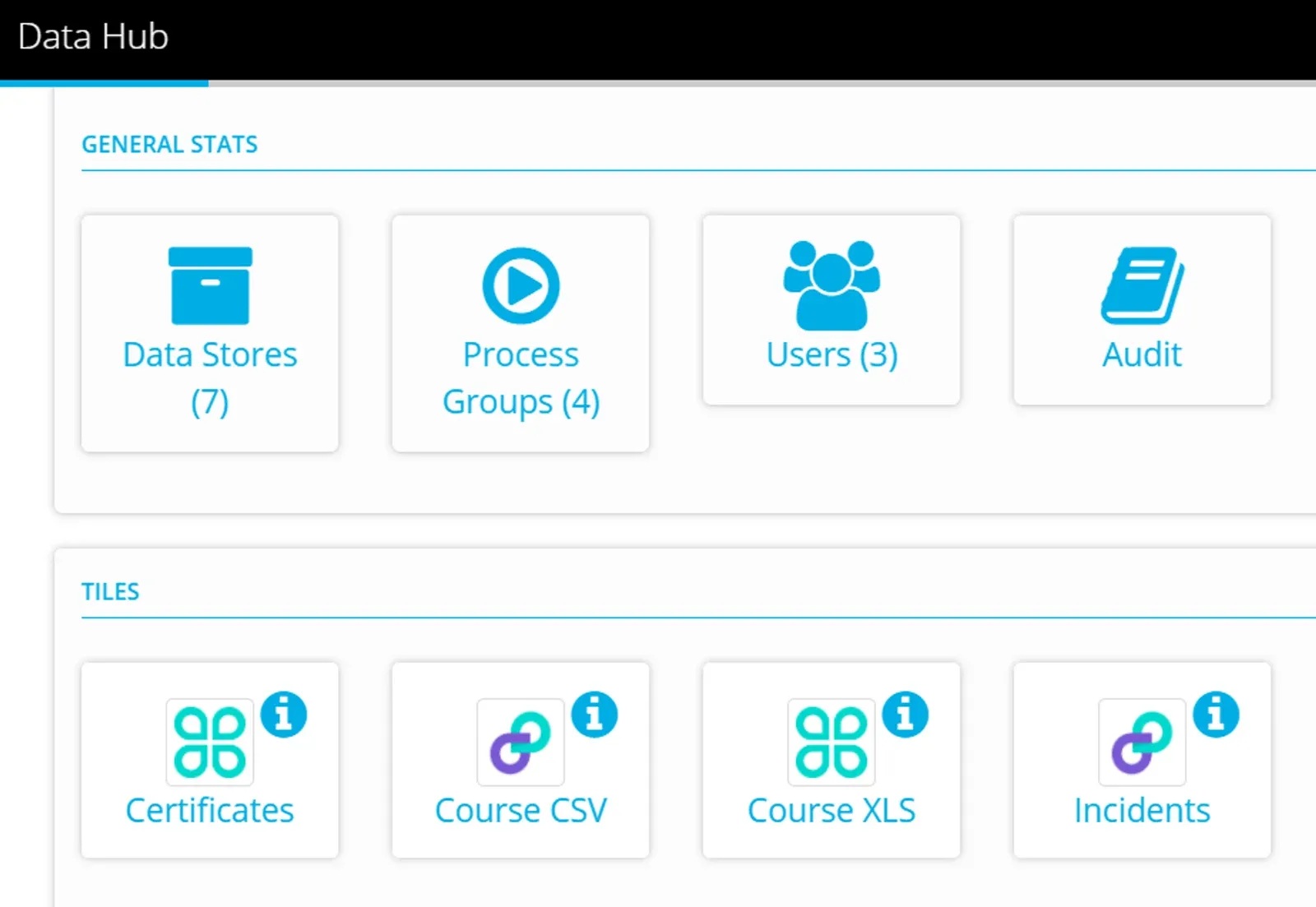
Run a test process by using the Tile that is shown in your Project Dashboard.
Drag a file into the tile and check that the process executes successfully (on the Activity Page).
Nice work! — you have mapped the Tile to its destination, all that remains is to share the Tile with your Data Providers
Stuck on this step? Email support@eight-wire.com